Clients & engagements
The client, the work, what happened
A registry of organisations and people, engagements from your catalogue.
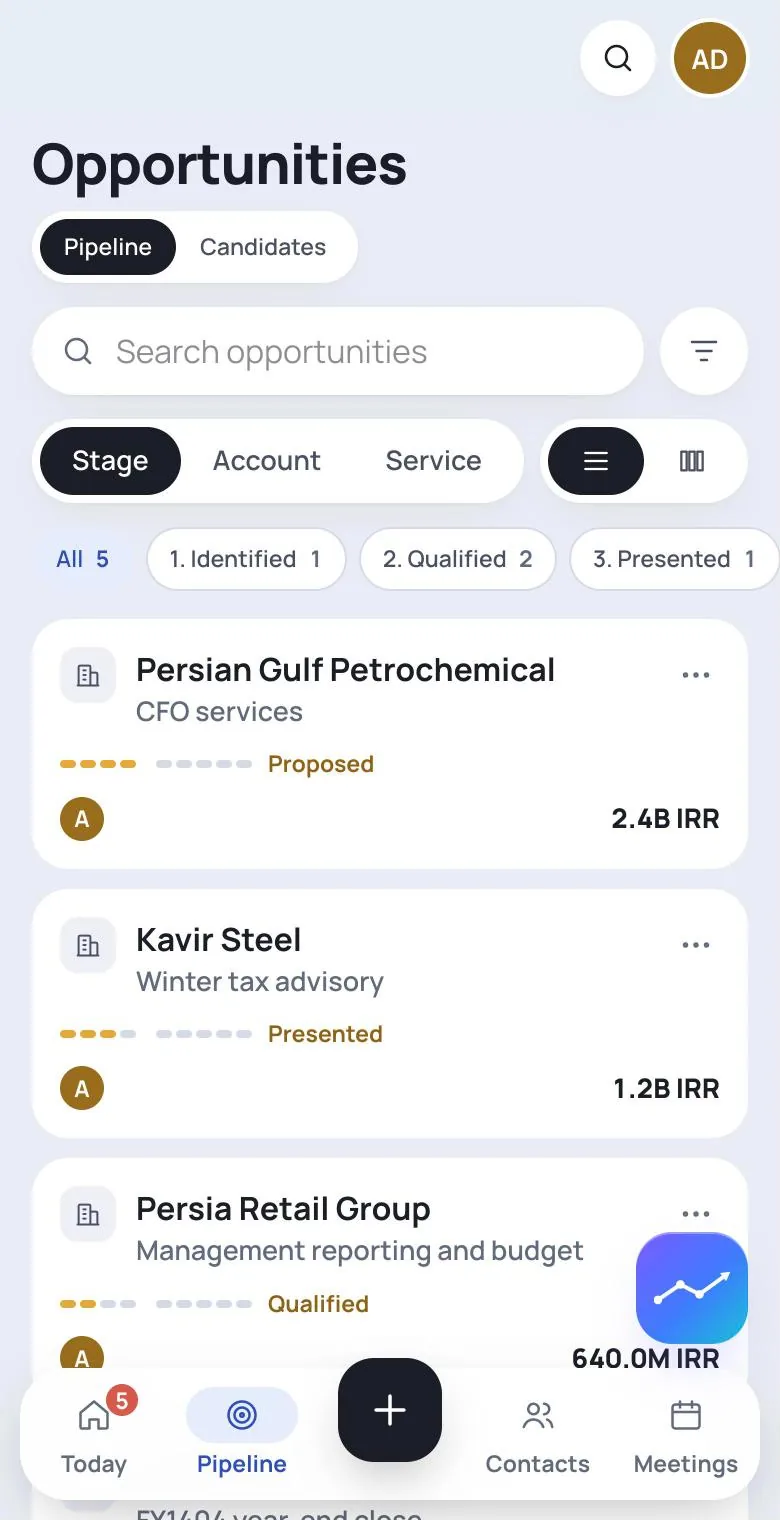
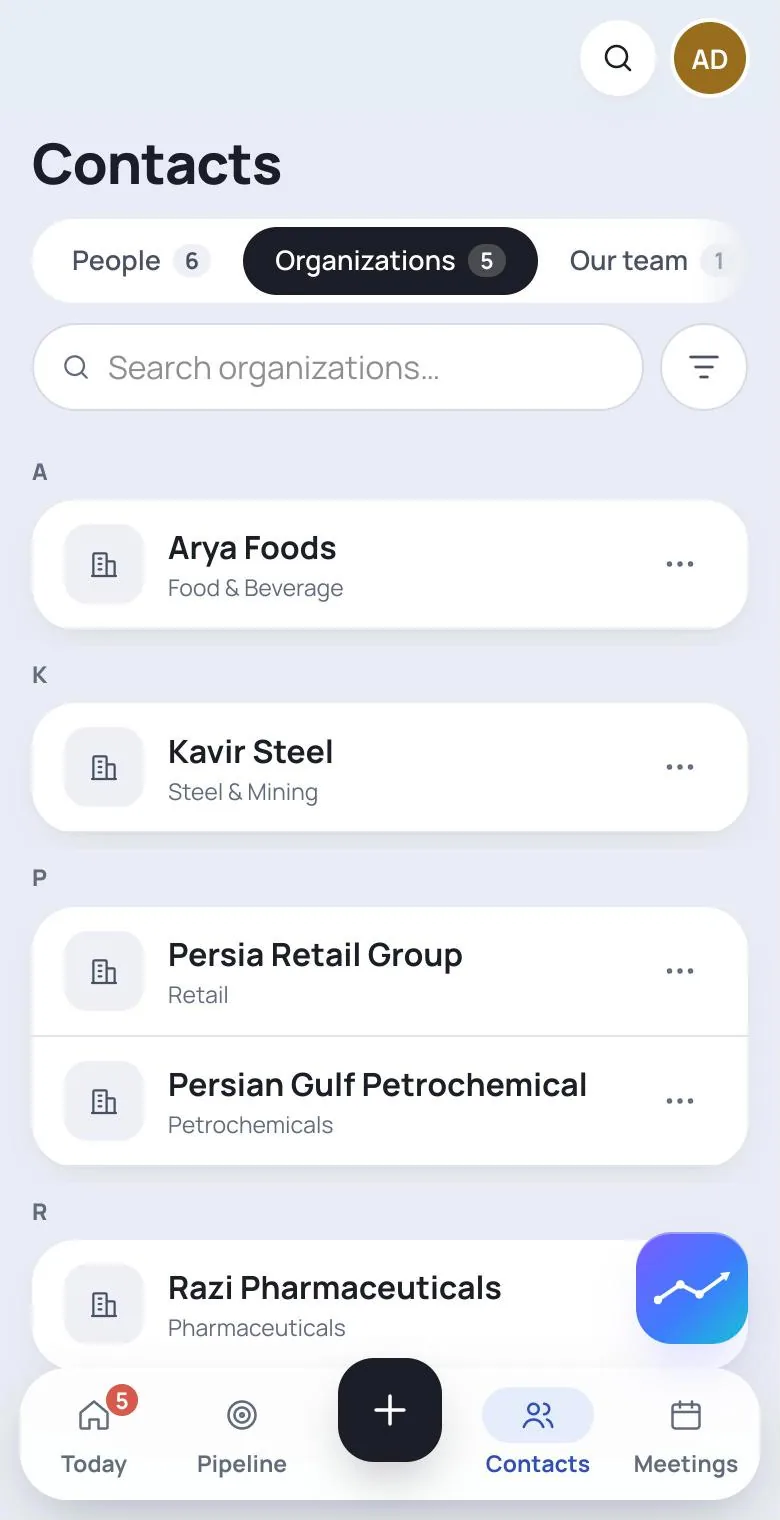
The registry
The parts a firm actually needs
Organisations and individuals
A client can be a company or a person. An organisation is one page with feed, contacts, engagements, documents, financials and identity.
Contacts with real seats
People are first-class and can hold seats at several companies with a role each. Promote a contact to a client when they become one.
Engagements from your catalogue
Every engagement is an instance of a service your firm authored — with its own team, data room, documents and weekly rhythm.
Scoping that holds
Lead and member roles per engagement decide who sees and changes what, and deletion runs through one shared gate rather than ad-hoc checks.
Data room and requests
The documents an engagement needs, requested from the client and tracked in one place — with the reading pipeline attached.
A catalogue you author
Service lines, services, descriptions, order, retirement, and stage labels are yours. Nothing is seeded from someone else's practice.
The pipeline
Won and lost are derived, not typed
Status has two axes: where the opportunity is on one canonical nine-stage path, and whether it is open, won or lost. The outcome is computed from the stage and the close action — there is no field for wishful thinking.
Every movement appends a row to the stage history. That table has no update path and no delete path, which is what makes a pipeline review a conversation about the business rather than about the data.
- One strict transition graph, validated on every move
- Append-only audit log of every stage change
- Stage labels renamable per service; the semantics stay fixed
- Cross-service rollups key off the derived kind, so custom labels never break reporting
Proposal sent
Pars Petrochemical
Financial due diligence
4.8 B T
Alborz Foods
Valuation
1.2 B T
Fieldwork
Kavir Steel
FP&A retainer
320 M T / mo
Reporting
Sepehr Logistics
Statement spreading
180 M T
nobody dragged the card — Tuesday's meeting moved it
A mandate, end to end
What the record looks like six months later
A contact becomes a client
Someone you met is a person in the directory. When work appears, they become an organisation or an individual client — without retyping anything.
An engagement opens on a service
Chosen from your catalogue, with a value, a currency, a lead and a team. The stage starts where your process starts.
The document trail accumulates
Requests, uploads, validated pages and spreads sit on the engagement, not in an inbox.
The weekly rhythm runs
Feed notes, voice memos from site visits, what the meetings recorded, actions with owners — all attached to this engagement.
Diligence and analysis hang off the same figures
The FDD schedules and the ratio panels read the spreads, so the numbers in the report are the numbers in the file.
It closes, and the history stays
Closing derives the outcome. The stage history, the documents and the evidence remain — which is exactly what you need the next time this client calls.
Governance
Details that matter to whoever signs the engagement letter
- Every row belongs to exactly one workspace; a foreign record is not found, not forbidden
- Deletion runs through one gate: creator or admin, with engagement teams for engagement-scoped rows
- Client-profile facts extracted by a model arrive as proposals a human accepts or rejects
- Renaming a service reflows every engagement title that derived from it
- A service slug is minted once from the display name and never changes — history stays resolvable
- Retirement, not deletion, for catalogue rows with history behind them
About the pipeline
Can we use our own stage names?
Yes — labels are yours to set per service. The number of stages, their order and their meaning are fixed on purpose, so that reporting across services stays comparable and the audit history stays readable years later.Is this a CRM?
It covers what an advisory firm needs from one: clients, contacts, opportunities, teams and history. What it deliberately does not do is marketing automation or sales sequences.Can two offices share one deployment without sharing data?
Yes. Workspaces are the tenancy boundary: separate catalogues, seats, clients and documents, with membership deciding what a person can reach at all.
See it read your own document
Bring one file you already know well. Thirty minutes is enough to tell whether this belongs in your firm.